
- Home
- Free tools
- Meta tags & social preview
Meta tag and Open Graph checker
Check a page's meta tags and Open Graph (og:) and Twitter Card tags. Preview how it looks in Google results and when shared on Facebook, LinkedIn and X, and see which tags are missing or too long.
Check several addresses at once (up to 10)
How to use it
- Enter a page address.
- Check the list of issues first. High items break the preview, low items are polish.
- Compare the three previews. If the picture is missing or cropped, fix the og:image tag and share the link again.
What it checks
- Title and meta description length
- Canonical link and robots meta tag
- Open Graph tags: title, description, image, url
- twitter:card and X-specific tags
- The social image itself: loads, size in pixels and kilobytes
- Language, viewport and favicon
Limits
- Reads the HTML your server sends. Tags added later by JavaScript are not seen, which is also what most social crawlers see.
- The previews are approximations. Google, Facebook, LinkedIn and X change their layouts and may rewrite titles and descriptions.
- Checks one page, and fetches the social image only to read its size and format.
Public pages only, one page at one point in time. See the methodology and terms.
Frequently asked questions
What is an Open Graph checker?
Open Graph tags (og:title, og:description, og:image, og:url) tell Facebook, LinkedIn, Slack and most messengers how to show a shared link. This tool reads them from the live page, checks the image loads and is the right size, and previews the card.
Why does my link preview not update after I fix the tags?
Facebook, LinkedIn and X cache previews, sometimes for days. Each platform has a debugger or re-scrape tool; use it after fixing the tags. This checker always reads the live page.
What size should the og:image be?
Use 1200 by 630 pixels (a 1.91:1 shape), as JPG or PNG, under about 1 MB, referenced with an absolute https:// URL. Anything under 600 by 315 may be shown as a small thumbnail.
Is the Google preview exact?
No. Google rewrites titles and descriptions often and measures width in pixels rather than characters. The preview is an approximation of the default.
Do I need both Open Graph and Twitter tags?
X falls back to Open Graph if twitter tags are absent. Setting twitter:card to summary_large_image is the one extra tag that is worth adding.
Why is my image shown here but not on a platform?
Some platforms refuse images that need a login, redirect many times, or are blocked by robots.txt or a firewall. Make sure the image URL is public.
Related guides
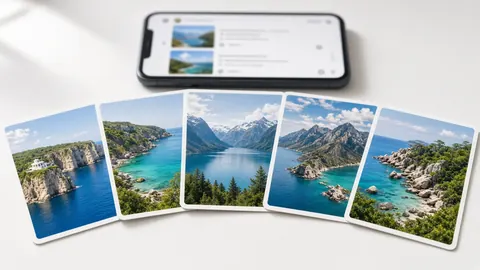
Open Graph tags: control how your links look when shared
When someone shares your page in a chat or on a social network, the preview card is built from a few tags in your page head. Setting them takes a few…
Read guide
Meta titles and descriptions: how to write them
The title tag and meta description are the headline and summary your page can offer in search results and in shared links. They are small, easy to…
Read guide
Canonical URLs: what rel=canonical does and how to use it
The same page can be reachable at many addresses: with and without www, with tracking parameters, with a trailing slash. A canonical URL tells search…
Read guideTry these next
Heading structure checker
Map a page's H1 to H6 outline, find missing or duplicate H1s, skipped levels and thin content.
Open toolSchema and structured data validator
Check JSON-LD syntax and required fields for Article, Product, Organization, FAQ and other schema types.
Open toolImage alt text & size checker
Find images with missing alt text, heavy files, outdated formats or no width and height.
Open tool